
Disclosure: WorkWise is reader-supported. When you buy through links on our site, we may earn an affiliate commission at no extra cost to you. Learn more.

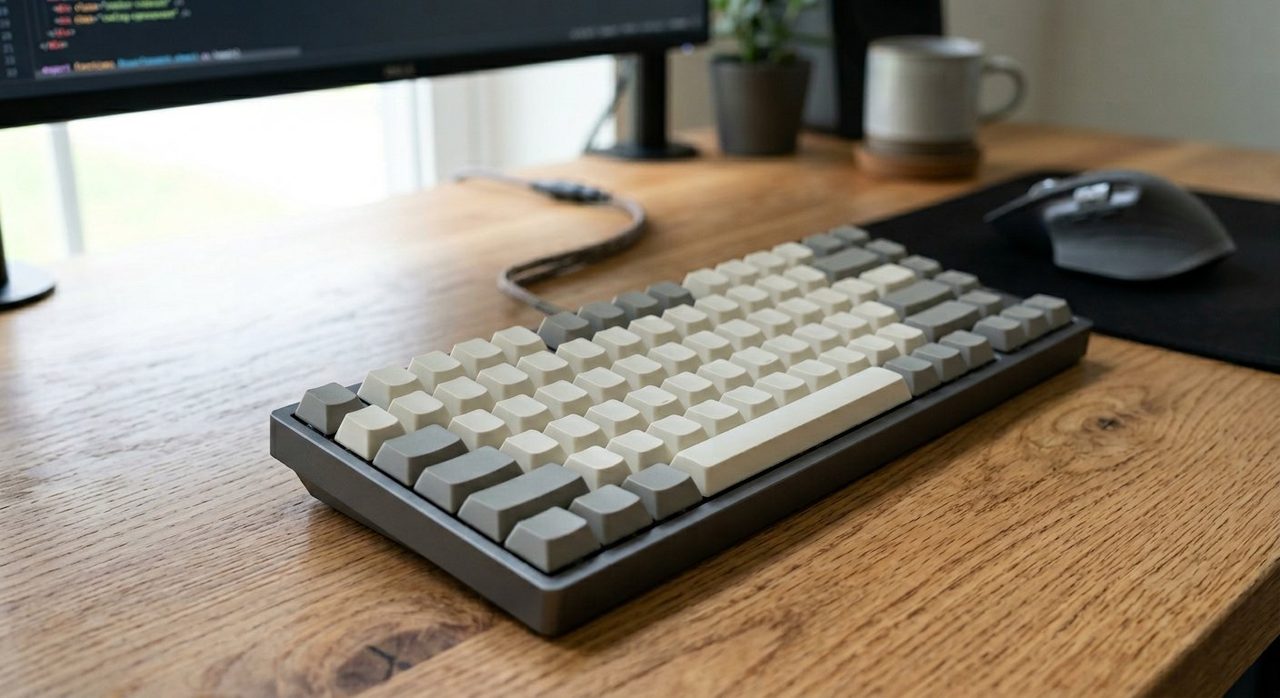
My daily driver — a Keychron K2 Pro with brown switches. Going on three years now.
If you type for a living, the keyboard and mouse you use for 8+ hours a day matter more than your monitor, more than your chair, more than your $200 noise-cancelling headphones. Yet most remote workers are still typing on the chiclet keyboard that came with their laptop and a mouse they bought in 2015. Here's what to actually upgrade to, why, and how to choose between the dizzying number of options.
Why your input devices matter more than you think
Your hands are in physical contact with these two devices for the entire working day. A keyboard with the wrong key travel can quietly cause finger fatigue that you blame on "being tired." A flat traditional mouse forces your forearm into a pronated position that, over years, causes the classic outer-forearm ache. The fixes here are not exotic — they're just usually skipped.
Choosing a keyboard: 4 questions
1. Mechanical or membrane?
Mechanical keyboards have an individual physical switch under each key. They feel crisper, last longer (50+ million keystrokes vs ~10 million for membrane), and are repairable. Modern low-profile mechanicals are nearly as quiet as a laptop keyboard. For most knowledge workers, mechanical is the answer in 2026 — the gap in price has nearly closed.
2. Which switch type?
- Linear (red, yellow) — smooth, no bump, quiet-ish. Best for fast typists who don't want feedback.
- Tactile (brown) — a small bump halfway down. The "office-friendly" default. Quiet enough for video calls.
- Clicky (blue) — loud satisfying click. Wonderful at home alone, unforgivable in a shared space.
If you're not sure, get brown switches. They're the safe pick.
3. Layout: TKL, 75%, or full?
- Full-size (100%) — number pad on the right. Necessary for accountants and data-entry; everyone else, skip it.
- TKL (tenkeyless, ~87 keys) — no number pad. The sweet spot for most office workers.
- 75% or 65% — even more compact, function row crammed. Great for small desks if you're willing to remap a key or two.
4. Wired or wireless?
Modern wireless mechanical keyboards (Logitech MX Mechanical, Keychron K-series with Bluetooth) have eliminated the latency issue for office work. Battery life is months. Wireless is fine.
Keyboard recommendations
Keychron K2 Pro (Wireless, Tactile Brown)
The default recommendation for office workers. 75% layout, hot-swappable switches (you can change them later without soldering), works across Mac/Windows/Linux. Built-in Bluetooth or USB-C wired.
Check price on AmazonLogitech MX Mechanical Mini
For people who want premium build and software polish without going into "keyboard hobbyist" territory. Smart backlight, multi-device pairing, Logi Options+ integration. Not hot-swappable.
Check price on AmazonApple Magic Keyboard with Numeric Keypad
If you live entirely in the Apple ecosystem and don't want to think about it, this is fine. Low travel, quiet, polished. Not as comfortable as a real mechanical for long sessions.
Check price on AmazonChoosing a mouse: ergonomics over flash
Three categories worth considering:
Standard ergonomic mouse
A slightly contoured shape with a thumb rest. Comfortable, familiar. The Logitech MX Master 3S is the consensus winner here — silent click, fast scroll, multi-device.
Vertical mouse
The hand sits in a "handshake" position rather than palm-down. Takes 3–5 days to adapt; then your forearm stops aching. The Logitech MX Vertical is the gold standard.
Trackball
You move the cursor with your thumb (or fingers) while the device sits still. Eliminates wrist movement entirely. The Logitech MX Ergo (thumb) or Kensington Expert (finger) are the two to know.
Logitech MX Master 3S
If you're not sure which category you want, start here. The most refined office mouse on the market. The MagSpeed scroll wheel alone is worth the price for anyone who reads long docs.
Check price on AmazonLogitech MX Vertical
If you have any forearm pain, try this for two weeks. There's a real chance the pain just goes away.
Check price on AmazonLogitech MX Ergo Trackball
Less popular but absolutely beloved by its users. Once you stop moving the device, you wonder why you ever did.
Check price on AmazonAccessories that quietly matter
- Wrist rest. Memory foam in front of the keyboard. Cheap, prevents the bent-wrist position.
- Mouse pad. A large desk-mat-style pad keeps the mouse smooth and protects the desk.
- Coiled USB-C cable. If you've gone wired-mechanical, a coiled cable is the aesthetic touch that also keeps the cable out of the way.
What we'd skip
- Gaming-branded "RGB everything" keyboards. Loud, distracting, often poorly built for typing.
- Cheap "ergonomic" split keyboards under $80. The category gets very good or very bad — the cheap ones are usually bad.
- Bluetooth mice without a USB receiver option. Bluetooth-only mice can stutter on wake; a USB dongle is more reliable.
Final word
The single best upgrade most desk workers can make this year is a brown-switch mechanical TKL keyboard and a Logitech MX Master 3S. Together they cost less than a mid-range monitor, and you'll feel the difference within a day. For anyone who's had any forearm or wrist complaint at all — also try a vertical mouse. It's the kind of thing you don't realise you needed until you have it.
Pair this with the right desk height and a proper monitor position and you've built the ergonomic foundation that most home offices never get right.
Frequently asked questions
Are mechanical keyboards worth it for office work?
For anyone who types more than 4 hours a day, yes. They're more comfortable over long sessions, more durable (50M+ keystrokes vs 10M for membrane), and modern low-profile switches are nearly as quiet as a laptop keyboard.
Which mechanical keyboard switch is best for offices?
Brown switches (tactile, quiet) are the safe default for shared spaces. Red (linear, smooth) for fast typists. Avoid blue (clicky, loud) unless you work alone — your colleagues will hate you.
Do I need a 'full-size' keyboard with a number pad?
Only if you do heavy data entry. For most users, a tenkeyless (TKL) or 75% layout is more compact, more ergonomic, and leaves more room for your mouse.
Is a wireless keyboard as good as wired for office work?
Yes, in 2026 — modern wireless mechanical keyboards have eliminated the latency issue for office use. Battery life is typically months between charges.
Spotted a mistake or want to suggest a product we should test? Get in touch — we read every message.